7 Salesforce Integrations Every Small Business Should Use
- 3 months
-
 Sumeet Srivastava
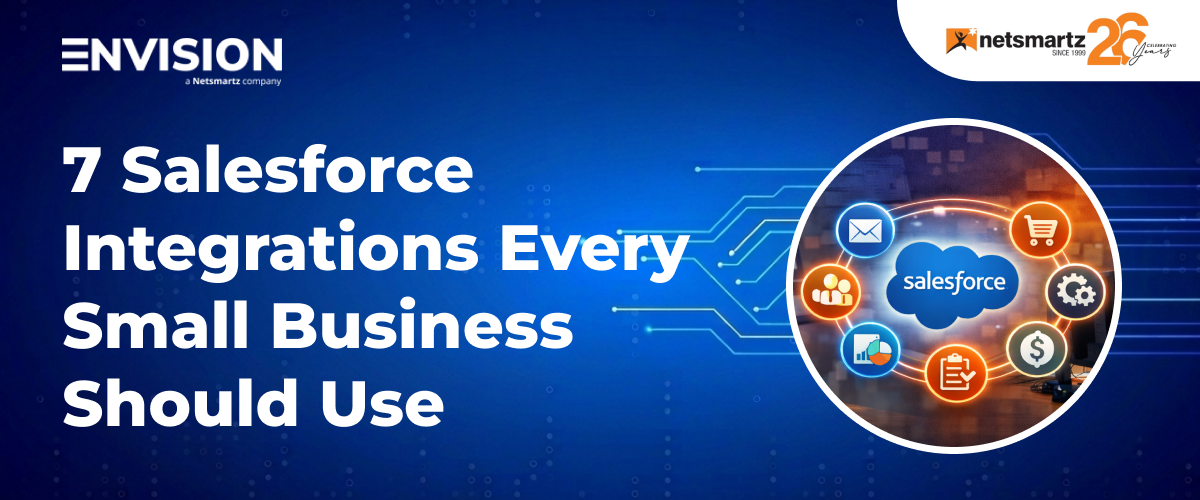
Stop leaving money on the table – connect Salesforce to the tools you already use and watch your team’s productivity soar.
Why Salesforce Integrations Matter for Small Businesses
If you are a growing business running Salesforce, you are already ahead of the curve. But here’s the truth: out of the box, Salesforce is only half the story.
Your team is probably switching between Salesforce, Gmail, Slack, QuickBooks, and half a dozen other tools dozens of times a day. Every switch cost time, creates data gaps, and leads to mistakes. The good news? Salesforce was built to connect.
With the right integrations in place, your CRM becomes the beating heart of your entire operation – automatically syncing data, eliminating manual entry, and giving everyone a single source of truth. And you don’t need a huge IT team to make it happen.
Choosing the right CRM integration can boost team productivity by up to 34% and approximately 58% of Salesforce users plan to add more integrations to their stack in the coming year.
In this guide, we will walk through the 7 most impactful Salesforce integrations for growing businesses, what they do, why you need them, and how to get started.
The 7 Must-Have Salesforce Integrations
1. Gmail & Google Workspace
Your inbox, calendar, and contacts – all inside Salesforce
For most small businesses, email is still the primary communication channel. But when your sales conversations live in Gmail and your deal data lives in Salesforce, important context gets lost constantly. The Gmail + Salesforce integration solves this problem by bringing your inbox directly into your CRM workflow.
With Salesforce’s native Gmail integration (via the Chrome plugin), your team can log emails, create leads, update opportunities, and view contact history — all without leaving their inbox. Every interaction is automatically recorded, so nothing falls through the cracks.
Key Benefits:
- Log emails to Salesforce contacts and leads with one click
- View full Salesforce context (deal stage, last activity) right in Gmail
- Sync Google Calendar events to Salesforce activities automatically
- Create new Salesforce records directly from incoming emails
- Eliminate duplicate data entry between Gmail and CRM
Pro Tip: Set up Einstein Activity Capture to automatically sync all Gmail activity – your reps will save 30+ minutes of manual logging every single day.
2. QuickBooks + Salesforce
Close the loop between your sales pipeline and your finances
One of the biggest pain points for small businesses is the disconnect between CRM data and accounting. Sales closes a deal in Salesforce, then someone manually recreates the invoice in QuickBooks. It’s slow, error-prone, and deeply frustrating for finance teams.
QuickBooks–Salesforce integration eliminates this handoff entirely. When a deal closes in Salesforce, invoice data flows automatically to QuickBooks. Customer records stay in sync; payment status appears right in the CRM, and your finance team always has an accurate, real-time view of revenue.
Key Benefits:
- Auto-generate QuickBooks invoices when Salesforce opportunities are won
- Sync customer accounts and contact data between both platforms
- View payment status and outstanding balances inside Salesforce
- Eliminate manual data re-entry between sales and finance teams
- Generate more accurate revenue forecasting with live financial data
Pro Tip: Use this integration to build a dashboard in Salesforce that shows each account’s total spend, outstanding invoices, and payment history – a goldmine for account management conversations.
3. Slack + Salesforce
Keep your whole team aligned with real-time CRM updates
Slack is where your team communicates, and Salesforce is where your deals live. The Slack + Salesforce integration bridges these two worlds, so your team always knows what’s happening with key accounts without needing to constantly log into the CRM.
With this integration, you can set up automatic Slack notifications for deal stage changes, new leads, closed-won alerts, and overdue tasks. You can even search and share Salesforce records directly inside Slack conversations and connect Slack channels to specific Salesforce accounts or opportunities for focused deal rooms.
Key Benefits:
- Get instant Slack alerts when deals move stages or close
- Search and share Salesforce records inside any Slack channel
- Create ‘deal rooms’ – Slack channels tied to specific Salesforce opportunities
- Receive task reminders and follow-up nudges right in Slack
- Connect Salesforce Chatter conversations with Slack for unified comms
Pro Tip: Create a dedicated #deals-won Slack channel that auto-posts every closed-won opportunity from Salesforce. It’s a massive team morale booster and keeps everyone motivated.
4. Mailchimp + Salesforce
Align your email marketing with your sales pipeline
Marketing and sales misalignment are one of the most common growth killers for small businesses. Your marketing team sends campaigns to lists that sales haven’t touched in months. Leads come in from campaigns but don’t get properly assigned. The Mailchimp + Salesforce integration puts an end to all of that.
When connected, Salesforce and Mailchimp share data bidirectionally. Contacts created in Salesforce automatically populate Mailchimp lists. Campaign opens, clicks, and unsubscribes sync back to Salesforce, giving your sales reps incredible context before they pick up the phone. You can even trigger automated email journeys based on what happens in the CRM.
Key Benefits:
- Sync Salesforce contacts and leads to Mailchimp lists automatically
- See email campaign engagement data (opens, clicks) on Salesforce records
- Trigger targeted campaigns based on CRM data like deal stage or industry
- Prevent emailing unsubscribed or inactive contacts
- Measure true marketing-to-revenue attribution inside Salesforce
Pro Tip: Use Mailchimp engagement data in Salesforce to prioritize your outreach – a lead who opened your last 3 emails is 10x more ready for a sales call than one who hasn’t.
5. DocuSign + Salesforce
Send contracts, get signatures, close deals without leaving Salesforce
The final stages of any deal are the most frustrating. A contract gets drafted, emailed out, lost in someone’s inbox, re-sent, and then manually updated in the CRM after it’s signed. This process adds days to your sales cycle and increases the chance that a warm deal goes cold.
With DocuSign connected to Salesforce, your team can generate contracts, send them for signature, and track their status – all from within the CRM. Once a document is signed, Salesforce records will update automatically. No manual chasing, no copying data, no delays.
Key Benefits:
- Generate and send contracts directly from Salesforce opportunity records
- Track document status (sent, opened, signed) inside Salesforce
- Auto-update opportunity and contact fields when signatures are completed
- Maintain a complete, searchable contract archive within Salesforce
- Legally binding e-signatures that comply with global standards
Pro Tip: Create Salesforce templates for your most common contract types (SOWs, NDAs, proposals) so reps can send a professional, personalized contract in under 2 minutes.
6. Zapier + Salesforce
Connect Salesforce to 7,000+ apps – no code required
Zapier is the Swiss Army knife of integrations. If there’s a tool your business uses that doesn’t have a native Salesforce connector, Zapier almost certainly bridges the gap. From form tools like Typeform to project management platforms like Asana to payment processors like Stripe -Zapier connects them all to Salesforce through simple, no-code ‘Zaps.’
For small businesses without dedicated developers, Zapier is transformative. You can set up powerful automations in minutes: new Typeform submission creates a Salesforce lead, new Salesforce contact gets added to an Airtable spreadsheet; closed-won deal triggers an onboarding workflow in Asana. The possibilities are genuinely endless.
Key Benefits:
- Connect Salesforce to 7,000+ apps without any coding
- Automate repetitive cross-platform tasks with simple trigger-action flows
- Create new Salesforce leads automatically from web forms, ads, and chatbots
- Sync data between Salesforce and project management, HR, or finance tools
- Build complex multi-step workflows with conditional logic
Pro Tip: Start with one high-impact Zap: connect your website contact form directly to Salesforce leads. Instant lead capture with no manual entry – most businesses see this pay for itself in the first week.
7. Shopify + Salesforce
Unify your e-commerce store with your CRM for a 360° customer view
If your small business sells products online, the gap between your Shopify store and Salesforce CRM is costing you revenue. Customer purchase history, order values, and buying behaviour should be informing your sales and marketing efforts, but they can’t if they’re stuck in two separate systems.
The Shopify – Salesforce integration solves this by syncing customer and order data in both directions. Every Shopify customer becomes a Salesforce contact; every order appears as an activity, and your team can see the full purchase history of any customer right inside the CRM. This is game-changing for upselling, retention campaigns, and personalised follow-up.
Key Benefits:
- Sync Shopify customers to Salesforce contacts automatically
- View full order history, total spend, and last purchase date in Salesforce
- Trigger targeted campaigns based on purchase behaviour
- Automate follow-up emails after purchase or cart abandonment
- Track inventory, order management, and fulfilment data in one place
Pro Tip: Use Salesforce to segment your Shopify customers with a total lifetime value and create a VIP list. Then use Mailchimp to send exclusive offers to your top 20%. This can deliver a significant revenue lift.
How to Choose the Right Integrations for Your Business
Not every integration on this list is right for every business. Here’s a simple framework to decide where to start.
| Your Situation | Start With | Then Add |
|---|---|---|
| Heavy email communication | Gmail + Google Workspace | Slack + Mailchimp |
| Product-based or e-commerce | Shopify + QuickBooks | Mailchimp + DocuSign |
| Service-based / consultancy | Gmail + DocuSign | QuickBooks + Slack |
| Limited tech budget | Zapier + Gmail | QuickBooks + Mailchimp |
| Fast-growing sales team | Slack + DocuSign | Zapier + Mailchimp |
The Bottom Line
Salesforce is a powerful CRM, but its real potential is unlocked when it’s connected to the rest of your business. The 7 integrations in this guide represent the highest impact, most accessible starting points for growing businesses looking to eliminate data silos, save time, and close more deals.
You don’t need to set up all seven at once. Pick one or two that match your biggest pain points, get them running smoothly, and then expand from there. Each integration you add makes your entire system smarter and more valuable.
At Envision, we have helped businesses across industries set up and optimize these exact integrations cleanly, quickly, and built to scale with your growth. If you would like expert guidance on where to start, we are here to help.
Ready to integrate Salesforce with your business tools?
Our Salesforce consulting team sets up and configures integrations that are tailored to your business – fast, clean, and built to scale.

Frequently Asked Questions
- What are Salesforce integrations?
- Are Salesforce integrations difficult to set up?
- How much does Salesforce integrations cost?
- Which Salesforce integration should a small business set up first?
- Can I integrate Salesforce with apps that aren’t on AppExchange?
Salesforce integrations are connections between Salesforce and other business software such as Gmail, QuickBooks, or Slack that allow data to flow automatically between platforms, eliminating manual entry and keeping your team aligned.
Many Salesforce integrations, especially for growing businesses, can be set up in minutes using native connectors or tools like Zapier. More complex integrations may require assistance from a Salesforce consulting partner like Envision, but the ROI is typically very fast.
Costs vary widely. Native integrations (like Gmail or Slack) are often included in your Salesforce plan. Third-party tools like Zapier start from around $20/month for basic plans. Enterprise integration platforms can cost significantly more. A Salesforce consultant can help you choose the most cost-effective approach for your budget.
For most small businesses, Gmail + Google Workspace integration delivers the fastest ROI. It eliminates manual email logging, gives sales reps full CRM context in their inbox, and typically saves each rep 20-30 minutes per day with minimal setup time.
Yes! Zapier connects Salesforce with over 7,000 apps, including many that don’t have native Salesforce connectors. This makes it an excellent choice for small businesses with unique tool stacks or limited technical resources.